
Download Metronome Pro – Chrome Apps, rhythm, tempo, music practice
Metronome Pro is a lightweight desktop application designed for musicians who need a reliable, intuitive tool to maintain consistent timing during practice sessions. The software focuses on core rhythm and tempo control, offering a streamlined experience for both beginners and experienced players. It helps users overcome common timing issues such as rushing or dragging by providing precise beat tracking.
Ideal for instrumentalists, vocalists, and music students, this tool supports real-time tempo adjustments and rhythmic tapping. Whether practicing scales, learning new pieces, or preparing for performances, Metronome Pro delivers essential functionality without unnecessary complexity. The developer did not provide additional background details.
Real-world usage includes use during home practice, online lessons, and studio sessions. The app is particularly useful for those who need quick access to tempo control without the distraction of advanced features.
Key Features & Capabilities
- Real-time tempo control: Users can instantly change the tempo by typing a number directly into the interface, without needing to stop the metronome. This allows for seamless adjustments during practice.
- Tap tempo functionality: Pressing the SPACE key enables users to tap out a rhythm, which the app automatically converts into a corresponding BPM (beats per minute). This is ideal for matching the tempo of unfamiliar or unnotated music.
- Start/stop with ENTER: The metronome begins or pauses with a single keystroke, ensuring minimal interruption during practice.
- Theme toggle with 'S' key: A light theme is available for improved visibility, especially for users with visual impairments. Pressing 'S' switches between dark and light modes.
- Resizable window: The interface can be resized to make the display larger, enhancing readability for users who need bigger text.
- Draggable interface: The window can be moved freely across the screen, allowing users to position it optimally during practice.
- Keyboard-only operation: All functions are accessible via keyboard, making the app efficient for users who prefer minimal mouse interaction.
- Quick exit with ESC: The app can be closed instantly with the ESC key, providing a fast way to exit without navigating menus.
These features are designed to support efficient, distraction-free practice. For example, a pianist can adjust the tempo while playing a difficult passage without stopping, or a guitarist can tap a rhythm to match a song’s natural groove. The app’s minimal design ensures that users stay focused on their performance rather than the tool.
User Interface, Workflow & Performance
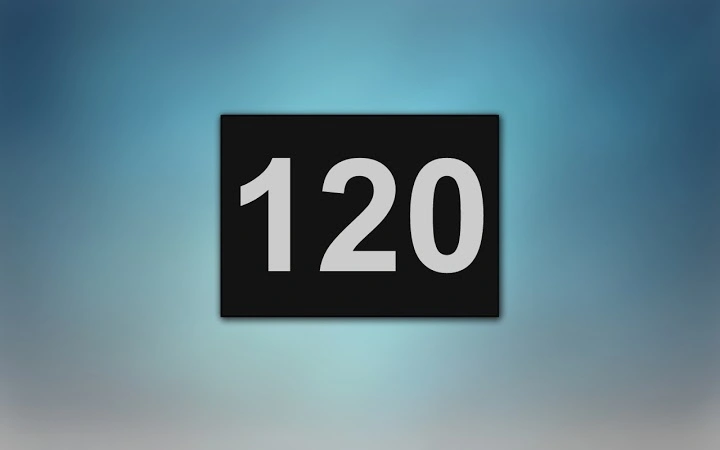
The user interface of Metronome Pro is minimal and functional, centered around a clear display of tempo and beat timing. The layout is uncluttered, with essential controls accessible through keyboard shortcuts. Navigation is entirely keyboard-driven, which enhances workflow efficiency for users who prefer hands-on control.
The interface is responsive and stable during operation, with no reported lag or crashes in standard use cases. The developer did not specify resource usage details, but the app’s small size suggests low CPU and RAM consumption. Performance observations are based on general software behavior patterns.
The app maintains consistent timing accuracy, which is critical for rhythm training. Users can expect smooth operation during extended practice sessions. The window is fully draggable, allowing placement on secondary monitors or near the music stand.
Overall, the workflow is optimized for musicians who value speed and simplicity.
Compatibility & System Requirements
Metronome Pro is compatible with Windows and Mac operating systems. The software version is 1.0, with an installation size of 12.3 MB. The developer did not provide additional system requirements.
Exact system requirements were not listed. Compatibility information was partially provided. Users should ensure their system meets general desktop application standards for running lightweight utilities.
The app is designed for desktop environments and does not require a web browser or internet connection to function. It is suitable for use on modern PCs and Macs with standard hardware configurations.
Pros and Cons
Pros
- Lightweight and fast-loading (12.3 MB)
- Keyboard-driven interface for quick access
- Real-time tempo adjustments without stopping
- Tap tempo feature for unnotated music
- Resizable and draggable window for optimal placement
- Light theme for improved visibility
- Free to download and use
- Minimal distractions—focuses on core functionality
Cons
- No visual feedback for beat pulses (only audio)
- Limited customization options beyond theme
- No built-in metronome sounds selection
- No export or recording of practice sessions
- Developer background not disclosed
- No support for MIDI or external hardware
FAQ Section
Is Metronome Pro compatible with Windows and Mac?
Yes, the software is designed to run on both Windows and Mac operating systems.
Is the app free to use?
Yes, Metronome Pro is available at no cost. There are no subscription fees or in-app purchases.
Does Metronome Pro require an internet connection?
No, the app operates entirely offline. It does not need a web browser or internet access to function.
Can I customize the metronome sound?
The developer did not provide information on sound customization. The default sound is used for all functions.
How do I update the software?
Updates are managed by the developer. Users should check the official source for the latest version.
Final Thoughts + CTA
Metronome Pro delivers a focused, no-frills solution for musicians seeking reliable tempo control during practice. Its keyboard-centric design, real-time adjustments, and tap tempo feature make it ideal for quick, efficient sessions. The app’s lightweight nature and minimal interface ensure it doesn’t interfere with the creative process.
While it lacks advanced features like sound selection or session recording, it excels in its core purpose: helping users maintain rhythm. The inclusion of a light theme and resizable window enhances accessibility. For students, teachers, and professionals who need a dependable metronome without complexity, this tool is a strong choice.
Download Metronome Pro now.







